
Circle 1st generation
Aura Sub LLCLifestyle
1.71.96K Reviews
- Version
- 2.1.15.1
- Installs
- 500.00K
- Age Rating
- Everyone
Screenshots
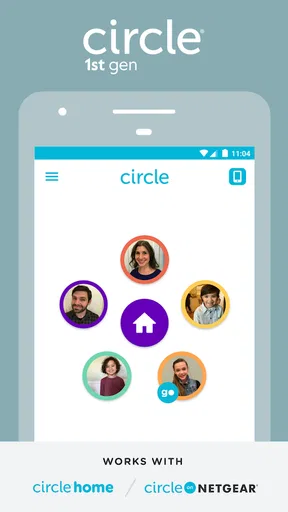
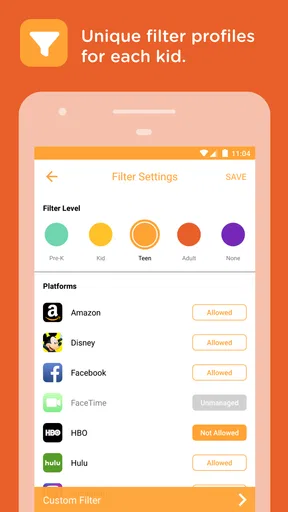
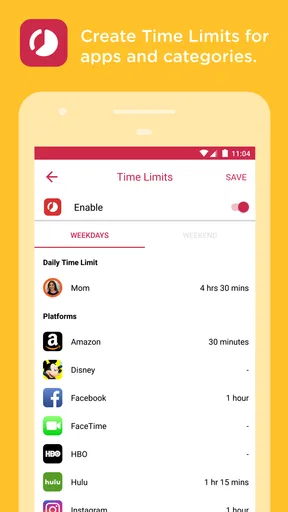
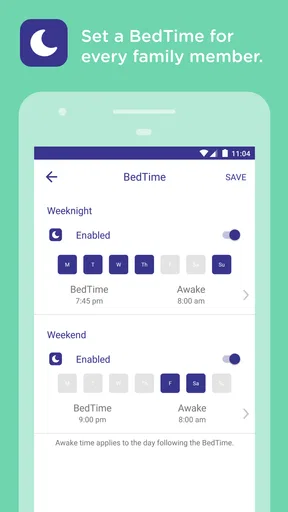
Our Review of Circle 1st generation
 Analysis by Appyee
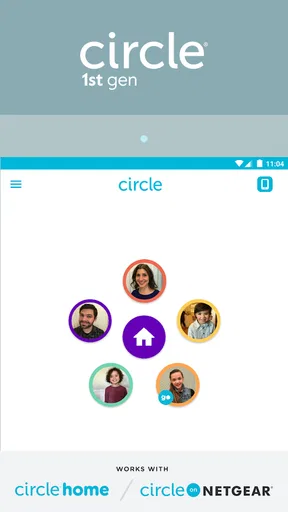
Circle 1st generation is a lifestyle app built to work with Circle with Disney, and that relationship is the key to understanding it. I would not treat it as a complete family-management tool on its own. Instead, I see it as the software side of a connected setup, where the usefulness depends on how well the companion hardware and the people using it fit into everyday family life.
That distinction matters because the app’s store summary is very brief: it is intended for use with Circle with Disney. In my view, this makes the first question less about whether the app looks attractive and more about whether you already have the compatible Circle environment. If you do not, downloading it just to explore a normal standalone lifestyle app is unlikely to make much sense.
What Circle 1st generation is really for
The application comes from Aura Sub LLC and belongs to the lifestyle category. It is free to install, with optional purchases shown from $4.99 to $49.99 per item. The age rating is Everyone, which makes the presentation approachable for households, although an Everyone label should not be confused with a guarantee that every family will find the service suitable for its privacy expectations.
I found the product easier to understand when I viewed it as a control point rather than as an entertainment app. Its purpose is connected use with Circle with Disney, so the important experience is likely to happen around setup, household decisions, and ongoing management rather than inside a feed, game loop, or creative workspace. That also means the app’s value is highly dependent on context.
A parent who already uses the Circle system may want a convenient way to interact with that setup from a phone. A person looking for an ordinary screen-time planner, a general parental-control application, or a family calendar should be more careful before choosing it. Those alternatives may be better when the goal is software-only flexibility, broad device coverage, or a clear all-in-one dashboard.
One practical point is easy to overlook: the first-generation identity matters. This is not simply a new version with a familiar name. Hardware-linked applications can feel very different depending on the age of the companion product, the phone being used, and whether the household still follows the original setup. I would therefore approach it as a focused legacy companion rather than assume it offers the same workflow as newer family-management products.
Trust starts with the product relationship
When an app is connected to a household device or service, trust is not created by a polished screen alone. I look at who develops it, what the app is supposed to control, what choices are visible, and whether the person using it can understand the consequences of enabling a setting. Circle 1st generation gives me a mixed first impression mainly because its role is narrow but its surrounding context can be significant for a family.
The developer is identified as Aura Sub LLC, and the app has been available since May 18, 2016. It has passed the half-million-install mark, while its average rating is 1.7 from roughly 4.3 thousand ratings, with about 2 thousand written reviews. I would not use those figures as proof that the app is unsafe, but I would treat them as a reason to test carefully instead of assuming a smooth experience.
Low user sentiment can come from many sources: compatibility trouble, confusing setup, expectations about the companion product, or dissatisfaction with account and control flows. Still, for a family-oriented app, friction is not a minor inconvenience. If a parent cannot confidently tell which setting is active, or another household member cannot understand what has been changed, the product becomes difficult to trust even when the underlying idea is useful.
I also prefer to separate popularity from accountability. A large install base can show that many people have encountered an app, but it does not answer the questions I care about most: Can I review the choices I made? Can I change them without hunting through menus? Can I tell which account has authority? Can I stop using the service without leaving unclear household settings behind? Those are the questions I would ask before relying on it.
Controls should be checked before daily use
My strongest recommendation is to treat the first session as an audit, not a quick installation. Before connecting anything, I would identify the account that will act as the household administrator, check which family members will have access, and make sure everyone understands who can change settings. This is especially important when a phone is shared or when more than one adult helps manage the home.
I would also write down the intended household rules before opening the control screens. For example, decide whether the aim is a simple routine, a temporary restriction, or a broader set of boundaries around connected use. Having that decision made in advance helps prevent random changes made in response to a stressful moment. It also makes it easier to notice when the app’s available controls do not match what the family actually needs.
A useful habit is to test one small change and then verify the result from the other side of the setup. Do not assume that tapping a control means the connected experience changed exactly as expected. Check the relevant device or user experience, then return to the app and confirm that the setting is still visible and understandable. This two-step check is more valuable than simply browsing every screen.
I would repeat that test after signing out and back in, or after switching between the household accounts that are genuinely used. The goal is not to search for hidden capabilities; it is to confirm who can see what and who can make changes. If the app makes that relationship unclear, I would pause before introducing it into a child’s normal routine.
Another practical tip is to avoid making several policy changes at once. If a household changes multiple rules together and something goes wrong, it becomes difficult to identify the cause. One change, one verification, and a short note about the result creates a much clearer troubleshooting trail. That may sound cautious, but it is exactly the kind of discipline I want around family controls.
A realistic family scenario
Imagine a household using Circle with Disney during a school week. One adult wants the connected setup to support a predictable evening routine, while another adult occasionally needs to make an exception. In that situation, the app is useful only if both people understand the same control structure. The first adult should not silently create a rule that the second adult cannot find or explain.
I would begin by agreeing on the normal routine away from the phone. Then I would use the app to make the smallest relevant adjustment, verify how the connected setup responds, and show the second adult where that choice can be reviewed. If an exception is needed, I would change only what is necessary and later restore the normal arrangement deliberately rather than leaving a temporary setting in place.
This workflow reveals a trade-off that a short store description cannot show. A connected control app can reduce repeated arguments when everyone follows a shared plan, but it can increase confusion when household authority is informal. The technology does not replace the conversation. It works best when the people using it agree on the rules and can inspect the same decisions.
I would also avoid presenting the app to a child as an invisible monitoring tool. A clearer approach is to explain that the household uses a connected system and that settings can be reviewed by the adults responsible for it. That does not solve every disagreement, but it makes the role of the app more honest and gives the family a better chance of handling mistakes constructively.
Data-sensitive moments deserve attention
Any service involved in a family’s connected environment deserves a slower look at privacy and account behavior. I do not make assumptions about data practices from the app’s category or branding. Instead, I would read the permissions and privacy information shown during installation and inside the account flow, paying attention to what is optional, what is required for the companion relationship, and what can be changed later.
The most sensitive moments are usually not the first attractive screen. They are the points where the app asks to connect an account, associate household members, remember a device, or enable a control that affects someone else’s experience. I would stop at each of those moments and ask whether the choice is clear, whether the app explains its purpose, and whether I can decline without losing unrelated functionality.
I would be especially careful with a shared phone. If several adults use the same handset, leaving an account signed in can give the next person access to household controls. A basic but important routine is to lock the phone, use separate device profiles where available, and sign out when the device is not personally controlled. That is not a special feature of Circle; it is a sensible safeguard for any app that may affect family settings.
I would also review the account after the initial setup rather than treating installation as the end of the privacy check. Look for visible ways to change household access, remove an old device, or update who is authorized to manage the system. If a control is difficult to locate, I would record where it is while the setup is fresh. That small effort can save time when a phone is replaced or an adult leaves the household arrangement.
In-app purchases are another point where I would slow down. The app is free to download, but purchases range from $4.99 to $49.99 per item. I would check exactly what a purchase changes before confirming it, whether the charge is tied to the account being used, and whether another household member could trigger it accidentally. For a shared family setup, purchase authentication is as important as the control settings themselves.
Where user agency feels most important
For me, a trustworthy family app should make it easy to distinguish between an active rule, a temporary adjustment, and a setting that affects the whole household. I would look for clear labels, an obvious way to review the current state, and a straightforward path back to the previous arrangement. If those distinctions are blurred, users may believe they have restored normal behavior when they have not.
I would also prefer to make decisions from the app rather than depend on guesswork or repeated trial and error. A control that is technically available but difficult to understand does not provide much real agency. The best workflow is one where I can see what I am changing, understand who it affects, and undo it without needing to remember an obscure sequence.
That is why I recommend creating a simple household record during setup: note the administrator account, the connected devices or family members, the normal routine, and the location of the account-management options. This is not glamorous, but it is a genuinely useful safeguard for a first-generation connected product. It reduces the risk that one person becomes the only individual who knows how the system works.
I would not use the application as the sole basis for a serious family safety decision without checking the current behavior of the connected setup. Software interfaces can change, phones can lose access, and household assumptions can become outdated. If a rule matters, verify it directly and keep a backup plan for communication and supervision rather than assuming the app will always be available.
That limitation is also where a different option may be better. If your priority is transparent, device-level controls with detailed account history, a modern platform feature or a well-documented parental-control service may offer a clearer experience. If your priority is simply planning family routines, a calendar or shared notes app may be less intrusive and easier for everyone to understand. Circle 1st generation makes more sense when its companion relationship is the reason you are considering it.
Compatibility and everyday friction
The minimum operating-system requirement is Android 6.0, and the current version is 2.1.15.1. Those details suggest that installation compatibility is only the first checkpoint. A phone may meet the operating-system requirement and still deliver an awkward experience if the household’s hardware, account arrangement, or expectations belong to a different generation of the Circle ecosystem.
I would install it on the phone used most often by the responsible adult, not on every family phone immediately. First confirm that the setup can be completed, that the correct account is recognized, and that the main controls are understandable. Only after that would I decide whether another adult needs access. This staged approach limits the number of variables if something fails.
Notifications and interruptions also deserve a deliberate approach. For a family-control app, alerts can be useful, but too many can turn a meaningful change into background noise. I would keep only the notifications that help the household respond to a real event or remember an important review. If the app does not provide enough control over alerts, I would rely more on a scheduled check than on constant attention.
Another overlooked issue is handover. If the main administrator changes phones, travels, or becomes unavailable, the family should know how another authorized adult can continue managing the connected setup. I would test that handover before it becomes urgent. A product that works perfectly for one person but leaves everyone else dependent on that person is not a resilient household tool.
Who should use it, and who should skip it
I can see a reasonable fit for someone who already has Circle with Disney, understands that this is a companion app, and is willing to spend time verifying account access and household controls. It may also suit a family that values a connected routine and prefers managing that arrangement from a phone rather than handling every adjustment directly through the companion environment.
I would be more hesitant to recommend it to someone starting from zero. If you do not own or plan to use the compatible Circle setup, the app’s narrow purpose is a serious limitation. I would also steer away from it if your main need is a broad, software-only parental-control system, a detailed activity report, or a flexible tool that works across many unrelated platforms.
Families with complicated custody arrangements or several caregivers should be particularly careful. The important question is not only whether the app can apply a setting, but whether every responsible adult can understand and manage the same arrangement. If access roles are unclear, a simpler shared routine may be safer than adding another layer of technology.
I would also skip it if the low average rating makes you uncomfortable and you cannot test the complete setup before relying on it. A free installation lowers the cost of trying it, but the real cost can be time spent configuring a household system that does not fit. Testing with one device and one modest rule is a better decision than committing the entire family immediately.
My cautious verdict
Circle 1st generation is a specialized lifestyle companion, not a universal family app. Its strongest reason to exist is its connection with Circle with Disney, and that same dependence is its biggest weakness. I would judge it by the clarity of its account controls, the visibility of its choices, and the reliability of the connected workflow in my own household rather than by the store summary alone.
The half-million-plus installs show that it has reached a substantial audience, but the 1.7 average from around 4.3 thousand ratings makes me cautious about recommending it without a hands-on compatibility check. The free download makes a controlled trial reasonable, while the available in-app purchases mean I would protect the account before allowing anyone else in the household to use it.
My final advice is simple: install it only with a clear purpose, identify the responsible account holder, inspect every permission and purchase choice, test one setting at a time, and verify the result outside the app. Trust should come from visible choices and repeatable control, not from assuming that a family-oriented label tells the whole story.
For an existing Circle with Disney household, Circle 1st generation may still be worth testing as a focused management companion. For everyone else, I would compare it with a modern standalone family-control option before investing effort. It can fit a specific connected routine, but I would not choose it blindly or treat it as a replacement for clear family communication and direct supervision.
Verdict
Strengths of Circle 1st generation
- Simple interface that is easy for first-time users to understand.
- Useful for quickly sharing photos, videos, and updates with contacts.
- Notifications help you stay aware of new activity and messages.
- Lightweight design works well on older or less powerful devices.
- Basic social features are accessible without a steep learning curve.
Limitations of Circle 1st generation
- The first-generation version may feel outdated compared with newer apps.
- Limited customization options for profiles, feeds, and notifications.
- Older devices may experience occasional crashes or slow loading.
- Privacy controls may not be as detailed as users expect today.
- Some features can depend heavily on an active user community.
Other Releases by Aura Sub LLC
View All
Aura: Security & Protection
Finance4.5

Circle Parental Controls App
Parenting2.2
Similar Picks in This Category
View All
SmartThings
Samsung Electronics Co., Ltd.4.6

Google Home
Google LLC4.0

Pinterest4.2

Astrotalk - Talk to Astrologer
Astrology & Horoscope4.7

My Verizon
Verizon Consumer Group4.5

Samsung Wallet (Samsung Pay)
Samsung Electronics Co., Ltd.4.1
Frequently Asked Questions
What is Circle 1st generation, and what is it used for?
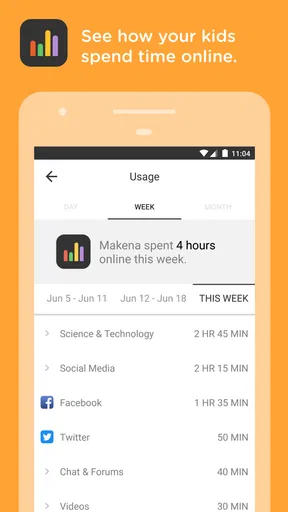
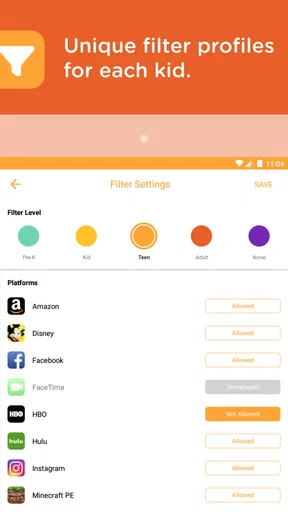
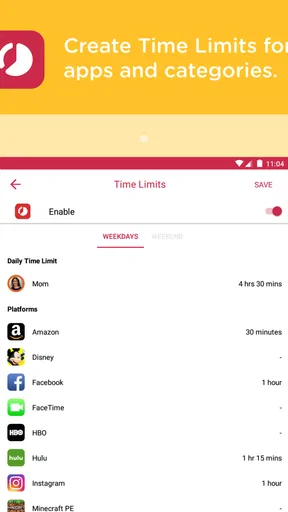
Circle 1st generation is the original version of the Circle parental-control system, designed to help families manage children’s internet access. It allows parents to create profiles, set daily time limits, establish bedtimes, pause internet access, filter unsuitable content, and review basic usage information. Because it is an older generation of the product, available features and compatibility may differ from newer Circle devices and applications.
Does Circle 1st generation work with every Wi‑Fi router and internet provider?
No. Circle 1st generation does not work identically with every router or internet setup. It generally needs to connect with a compatible home network and may require specific configuration, such as bridge mode or changes to router settings. Before downloading or purchasing anything, check the official compatibility list for your router model, because unsupported hardware can prevent device identification, filtering, or reliable parental-control features.
Can Circle 1st generation control mobile data or devices outside the home?
Circle 1st generation is primarily intended to manage devices connected to the family’s home Wi‑Fi network. It may not control cellular data, public Wi‑Fi, or networks outside the home unless the service includes a separately supported mobile-management feature. Parents should also understand that device identification is not always perfect, especially with private addresses, VPNs, guest networks, or devices that frequently change their network connection.
Is Circle 1st generation free to use, or does it require a subscription?
The original Circle system may include basic parental-control functions, but some advanced options can depend on the specific hardware bundle, application version, or subscription plan available in your region. Features such as extended history, additional profiles, rewards, more detailed controls, or mobile management may not be included for free. Review the current pricing and terms before relying on a particular feature.
Is Circle 1st generation still supported on Android and iOS?
Support for Circle 1st generation can be limited because it is an older product generation. The companion app may require a particular Android or iOS version, and newer phones, router firmware, or operating-system updates can affect performance. Check the official app-store listing and Circle support documentation before installing. If the original device is no longer supported, a newer Circle solution may be necessary.
